At a glance
Smart meters are available free of charge to every household in the UK and are installed by your energy supplier at no cost to you. They replace your existing gas and electricity meters and send automatic readings directly to your supplier, ending the need for manual meter readings and estimated bills. Most households are also given an in-home display – a small wireless screen that shows your real-time energy usage and cost, which many people find genuinely useful for understanding and reducing their consumption.
Despite being free and widely available since 2016, uptake has been patchy across the UK and millions of homes still have traditional meters. Some households have concerns about data privacy, others have had bad experiences with first-generation SMETS1 meters that stopped working when they switched supplier. The current generation SMETS2 meters address most of the early problems and are a significant improvement over what was originally rolled out. This guide covers everything you need to know before deciding whether to request one, including how the booking process works and what to expect on the day.
What is a smart meter
A smart meter is a gas or electricity meter – or both – that automatically sends usage readings to your energy supplier over a secure wireless network called the Smart Metering Wide Area Network (WAN). Unlike a traditional meter, which requires either a manual reading from you or an estimated bill, a smart meter sends readings automatically at agreed intervals – typically every 30 minutes for half-hourly data, or daily for a standard daily reading. This eliminates estimated bills entirely and ensures you pay only for what you have actually used. The data is encrypted and sent over a secure government-managed network rather than the commercial internet.
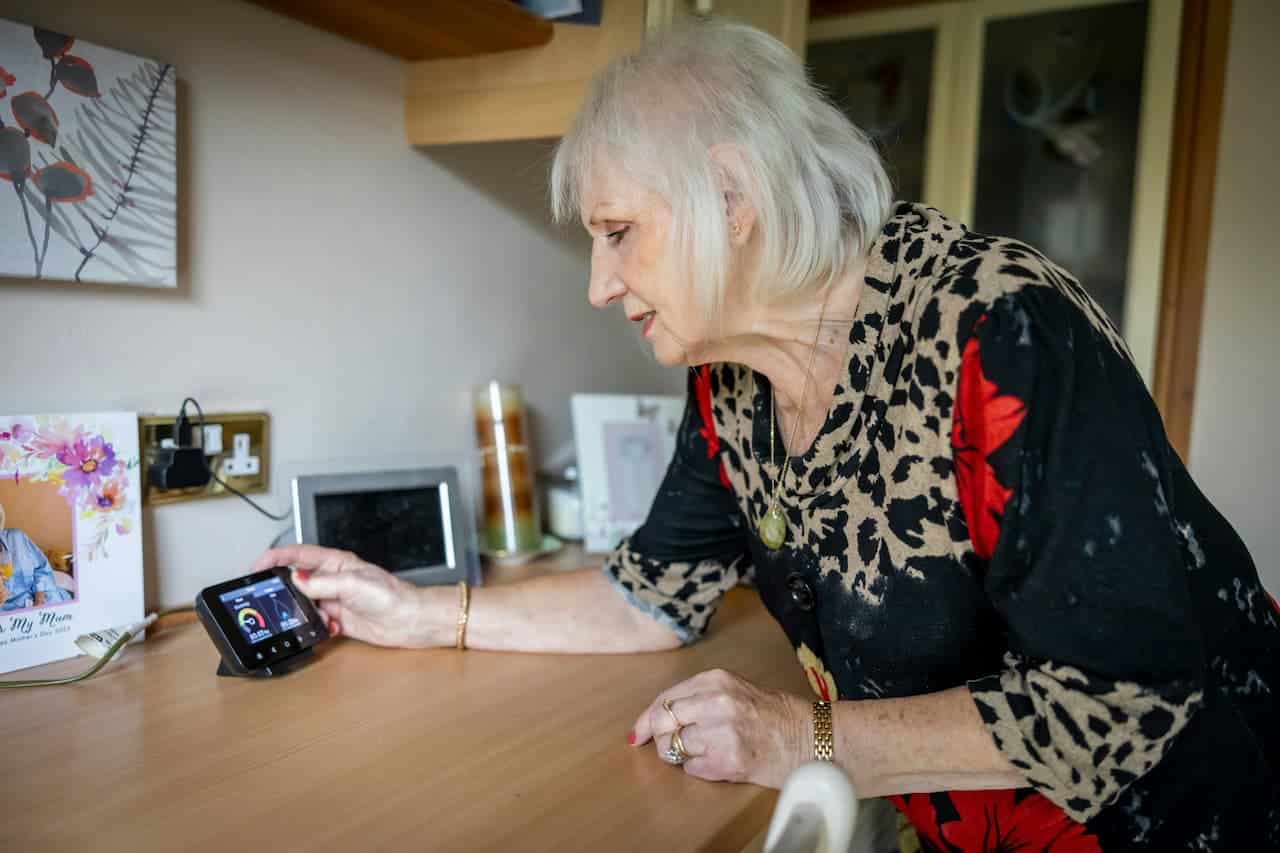
Smart meters also communicate with an in-home display (IHD) – a small device usually placed in the kitchen or living room – which shows your real-time energy consumption in kilowatt hours and estimated cost. This near-real-time feedback is the main practical benefit for most households, giving a clear picture of which appliances and behaviours drive energy costs. Smart meters do not themselves reduce your energy consumption – they are a tool for measuring and understanding usage, and whether they lead to savings depends entirely on whether you act on the information they provide.
How to get one installed
Smart meter installation is arranged through your energy supplier and is entirely free. There is no charge for the meter, the installation or the in-home display. Contact your energy supplier – by phone, through their website or via their app – and request a smart meter installation. Most major UK suppliers including British Gas, Octopus Energy, EDF, E.ON and Scottish Power have online booking systems with real-time slot availability. You will be offered a range of appointment slots, typically half-day windows in the morning or afternoon. In some areas there may be a wait of several weeks, but many suppliers can offer appointments within two to three weeks of the request.
Check your supplier’s app first. Most major energy suppliers now allow smart meter booking directly through their app or online account portal, which is often faster than calling. Octopus Energy, British Gas and E.ON all offer self-service booking with real-time slot availability, and you can often get an earlier appointment online than by phone.
What happens on installation day
The engineer will arrive within your booked appointment window and the full installation typically takes one to two hours for both gas and electricity meters. There will be a short period – usually 20 to 30 minutes – during which your gas and electricity supply will be switched off while the meters are changed. Plan around this and avoid scheduling the appointment when you need heating or cooking facilities urgently. The engineer will give you advance notice before switching off supply so you have time to finish any tasks that require power.
Before the engineer arrives, make sure the areas around your existing meters are clear and accessible. If your meters are in a cupboard, under the stairs or in a garage, ensure there is clear access with nothing blocking the approach or the working space around the meter. After fitting the new meters, the engineer will set up and pair the in-home display, confirm it is receiving data correctly, walk you through the basic functions of the IHD, and answer any questions before leaving. The whole process is straightforward and most installations complete cleanly without any problems, complications or need for the engineer to return.
An adult aged 18 or over must be present throughout. The engineer cannot leave the meters in an unsafe state, so if no eligible adult is present when they arrive they will be unable to complete the work and you will need to rebook. Allow the full appointment window and do not plan to leave the property until the engineer has confirmed the installation is complete.
The in-home display
The in-home display is a small wireless device – roughly the size of a large smartphone – that connects to your smart meters and shows near-real-time energy usage. Most displays show current electricity usage in kilowatts and estimated cost per hour, daily and weekly totals, and a comparison against previous periods. The IHD is most useful as a behavioural feedback tool – switching on a kettle, tumble dryer or electric shower and watching the cost display jump gives an immediate and concrete sense of which appliances are the most expensive to run. For many households the most useful feature is the weekly and monthly comparison view, which shows whether consumption is trending up or down over time.
The display needs to be within range of the smart meters to maintain its connection – typically within 30 metres and within the same building. It runs from a mains plug and has a small battery backup. If it loses connection it will show the last received data rather than live figures. Many households find the IHD most useful in the first weeks after installation when the novelty drives close attention to usage – the long-term benefit comes from the habits formed during that initial engaged period, when usage patterns become visible and easy to act on for the first time.
SMETS1 vs SMETS2
The UK smart meter rollout has gone through two generations of technology. Understanding the difference matters if you are considering a new installation or have an existing meter that is causing problems. SMETS1 meters were the first generation installed from around 2012 onwards. They worked well with their original supplier but a significant proportion lost their smart functionality when the household switched energy supplier – reverting to behaving like a traditional dumb meter. This was a widely reported problem and put many households off smart meters entirely.
SMETS2 meters are the current standard and all new installations since 2019 use this generation. They connect to a national communications network rather than a supplier-specific system, which means they retain full smart functionality when you switch supplier. If you were offered a SMETS1 meter in the past that caused problems when you switched, it is worth requesting a SMETS2 replacement – most suppliers will fit one free of charge, and in many areas the replacement can be scheduled within a few weeks of the request.
Smart meters and switching supplier
A SMETS2 smart meter will retain full smart functionality when you switch to a new energy supplier. Your new supplier will take over the meter remotely without needing to send an engineer. Readings will continue to be sent automatically and your in-home display will continue to work as normal. Switching supplier with a SMETS2 meter in place is no more complicated than switching without one – the meter transition happens in the background without any action required from you. This seamless handover is one of the most significant practical improvements SMETS2 delivers over the SMETS1 generation, which required manual intervention to restore smart functionality after every supplier switch.
If you have an older SMETS1 meter, switching supplier may cause it to revert to dumb meter mode – meaning it will no longer send automatic readings and you will need to submit manual readings to your new supplier. Most SMETS1 meters have now been enrolled onto the national network and upgraded remotely, but some older installations in areas with weaker signal coverage are still affected. Contact your current supplier to check the status of your meter before switching – they can confirm whether it has been enrolled on the national network and is likely to retain its smart functionality after a switch.
Pros and cons
Smart meters are not universally popular and it is worth understanding both sides before requesting one. The benefits are largely practical – accurate billing, no manual readings, and access to real-time usage data that most people find useful at least initially. The concerns are primarily around data privacy and, for those who had early SMETS1 meters, reliability when switching supplier. The current SMETS2 generation has addressed the switching issue comprehensively, and the data privacy concern is manageable through your account settings with your supplier – you can typically request less granular data sharing – monthly rather than half-hourly – if you prefer not to have detailed usage data transmitted to the supplier automatically.
Share on socials: